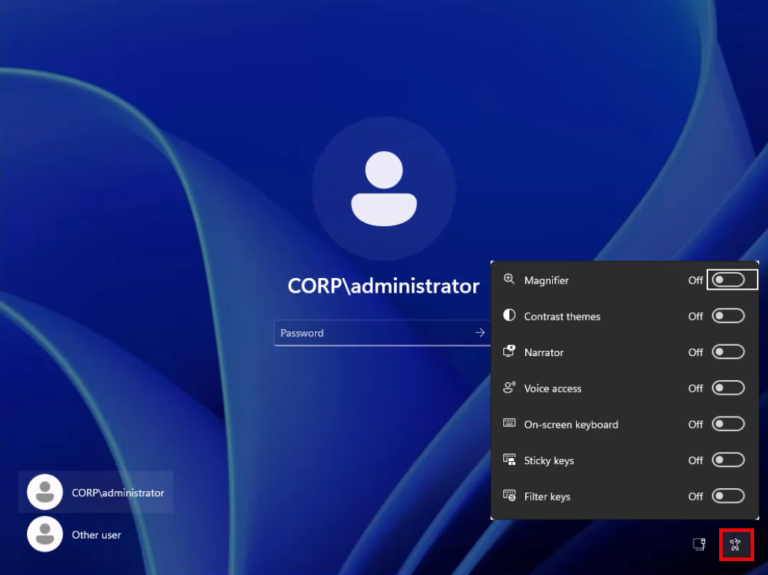
Reset a forgotten domain or local admin password
ถ้า domain admin คนเดิมลาออกไป แต่เราไม่ทราบ password แล้วต้องการ reset ให้เรา boot domain controller (DC) ด้วยแผ่น ISO ติดตั้ง Windows แล้วไป reset กันนะครับ
หมายเหตุ: ตัวอย่างนี้ เป็น Windows Server 2025 นะครับ
1. Change Utilman.exe to cmd.exe
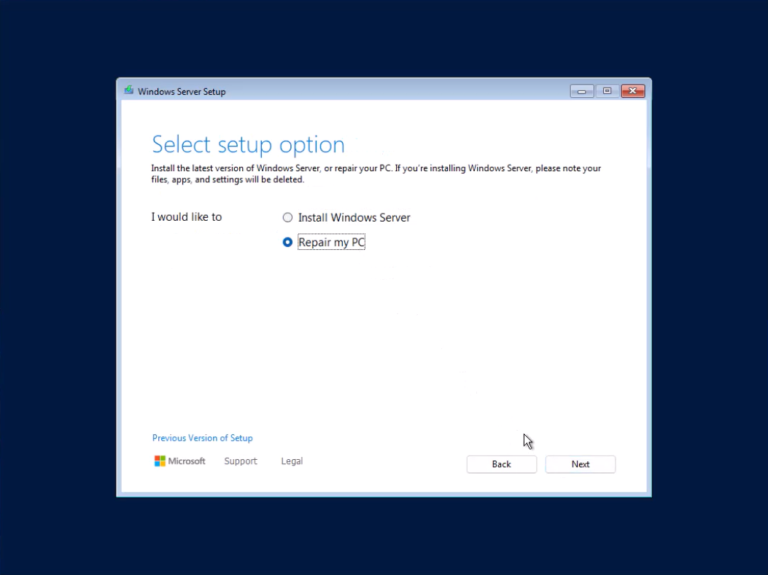
1. Boot เครื่องด้วยแผ่นติดตั้ง Windows
แล้วเลือก repair
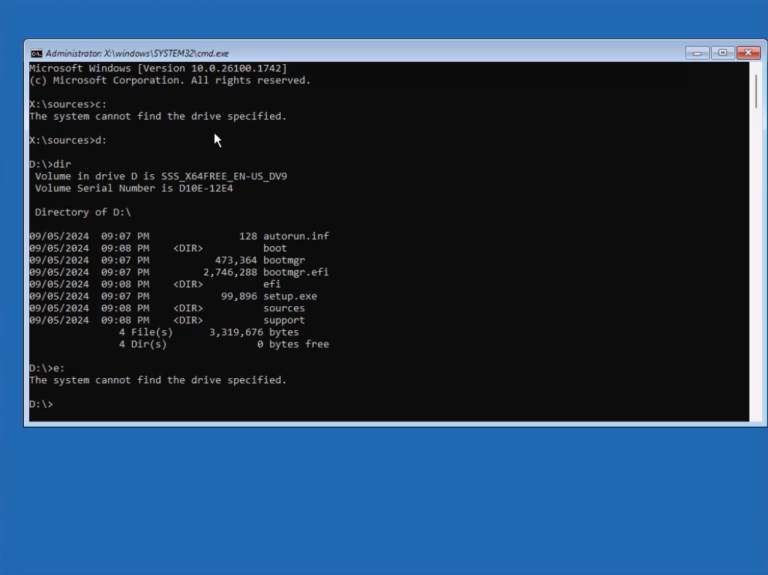
2. เข้าไป partition ที่มี Windows ติดตั้งอยู่
เช่น ลองเปลี่ยน drive ไปที่ C: D: E: F: G: ไปเรื่อยๆ
เราอาจจะเจอสัก drive ที่มี Windows ติดตั้งอยู่
แต่ถ้าไม่เจอ ก็ไม่ต้องกังวลนะครับ
ให้เราใช้ diskpart เข้าไป assign drive letter ให้กับ partition ที่มี Windows ติดตั้งอยู่
diskpart

list volume

select volume <volume-name>

assign letter=<drive-letter>

exit
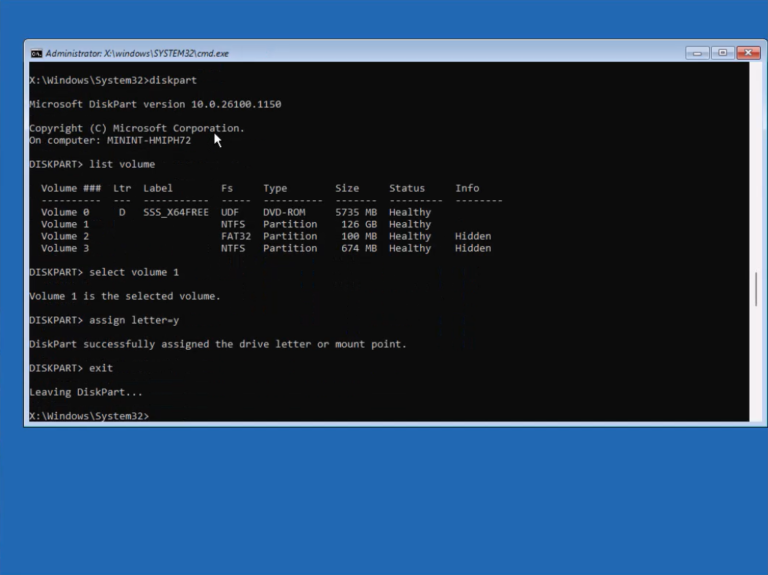
แล้วเปลี่ยนไป drive ที่เราพึ่ง assign drive letter ไป เช่น y:
3. Backup Utilman.exe แล้วนำ cmd.exe ไปเป็น Utilman.exe ชั่วคราว
เข้าไปที่ windows\system32 folder
cd windows\system32
แล้ว copy ไฟล์ utilman.exe เก็บไว้ (เติม .bak ต่อท้ายไฟล์ก็ได้)
จากนั้น copy cmd.exe มาแทน utilman.exe
แล้ว exit
ren utilman.exe utilman.exe.bak

ren cmd.exe utilman.exe
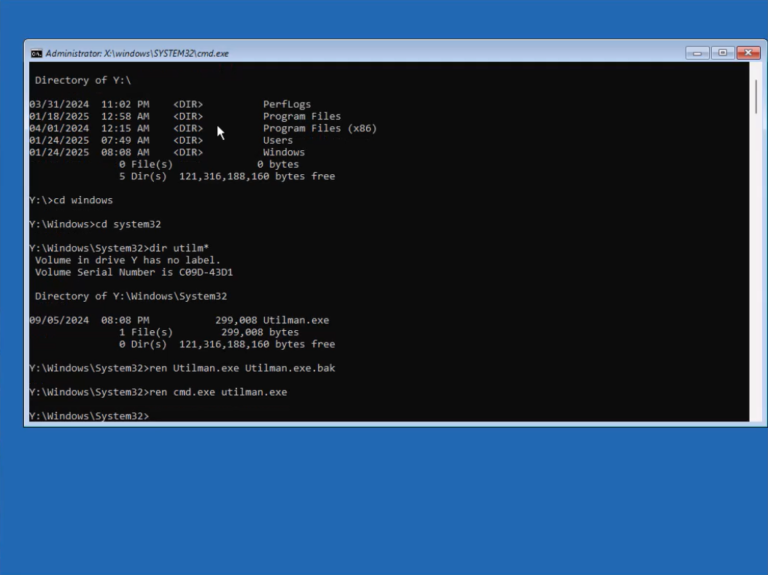
พอเรา exit ก็กด continue เข้าสู่หน้า Windows logon ต่อไปครับ
2. Reset the password
ตั้ง password ใหม่ของ domain admin หรือ admin ผ่านปุ่ม Utilman ในหน้า Windows logon
รันคำสั่ง แล้วตั้ง password ใหม่
net user administrator *
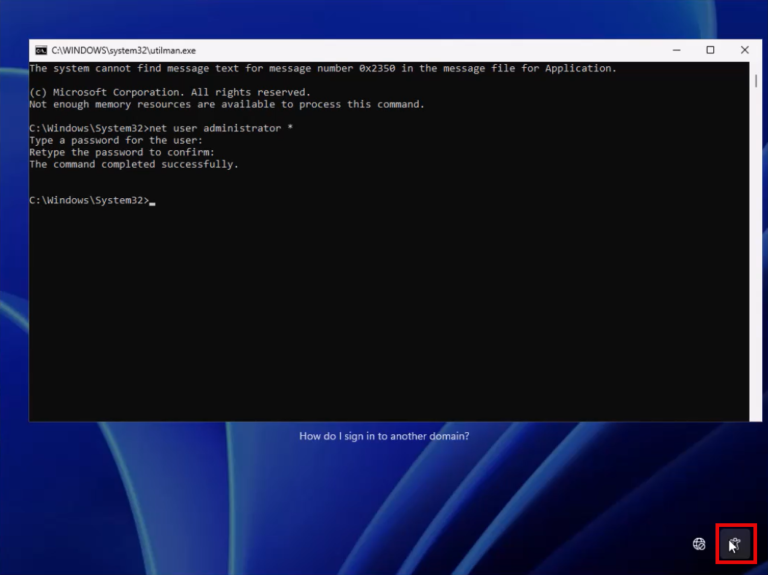
จากนั้น ก็ sign in ด้วย password ใหม่
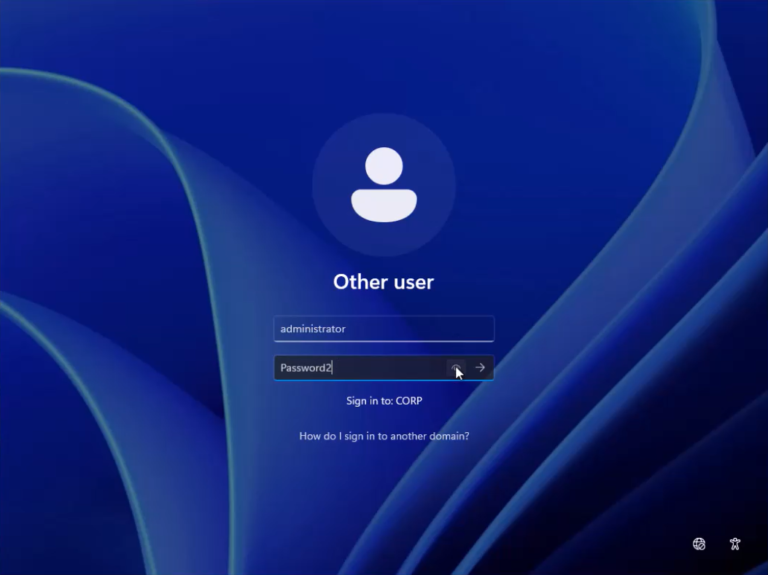
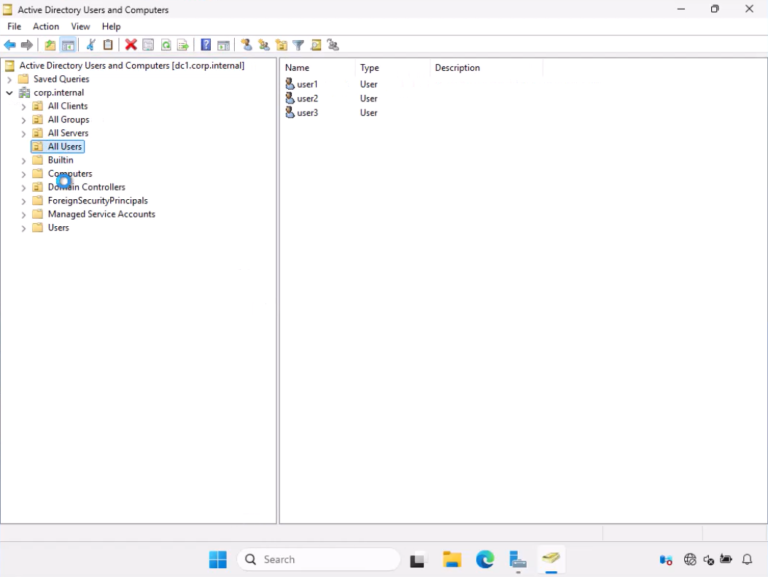
ตอนนี้ เราก็เข้า DC ด้วย password ใหม่ได้แล้วนะครับ
3. Bring Utilman.exe back
นำ Utilman.exe เดิมกลับมา
ในขั้นตอนสุดท้าย เพื่อความปลอดภัย เราก็ reboot เครื่องด้วยแผ่นติดตั้งอีกครั้ง
แล้วนำ utilman.exe ไฟล์เดิมกลับมา
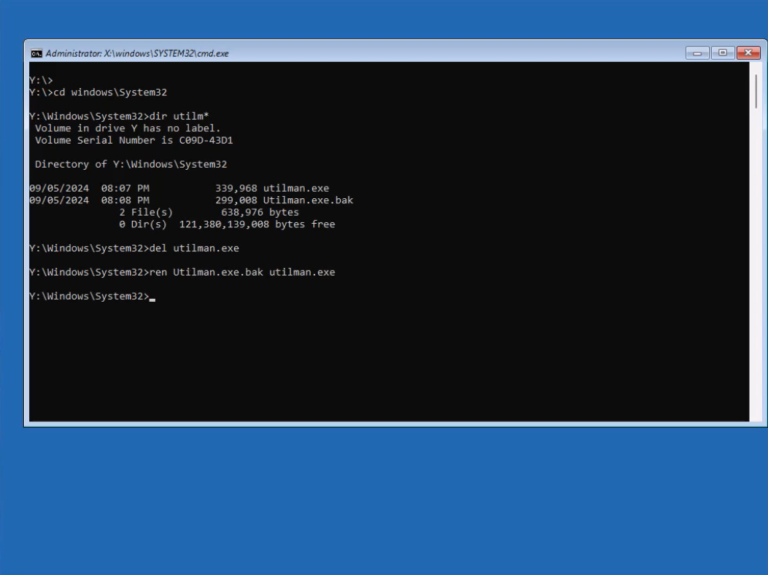
เวลา hacker เข้าถึงหน้าเครื่องเรา แล้วกด utilman จะได้ไม่ขึ้น cmd.exe นั่นเองครับ